

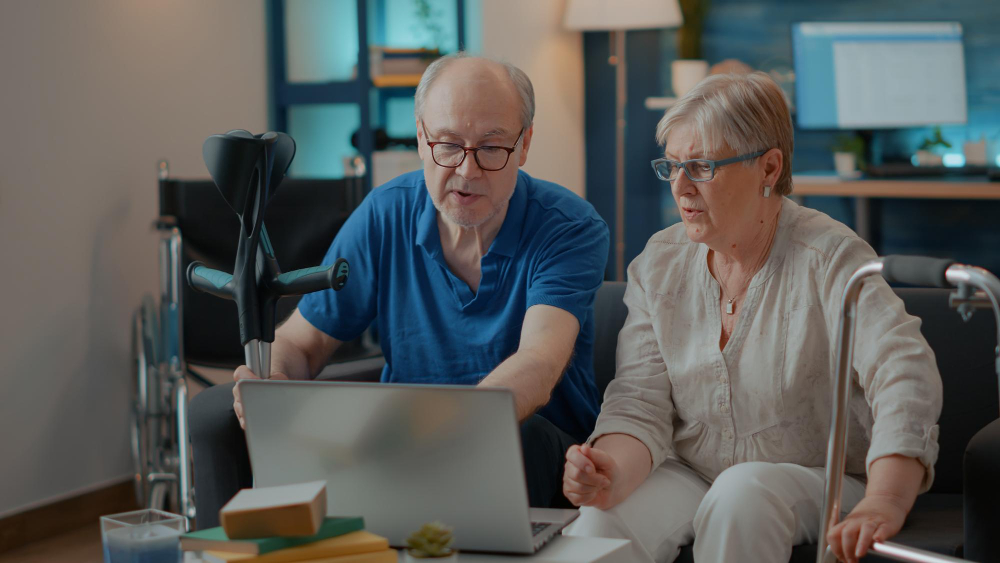
Distance can make family caregiving feel harder than it needs to be. A daughter in San Jose, a son in another state, and an older parent in Campbell may not share a home, but they can still share the small moments that matter. With thoughtful technology, families can stay informed, involved, and emotionally connected without making a senior feel watched.
For families considering senior home care Campbell, care technology can add another layer of connection. The goal is not to replace conversations or personal visits. It is to make those connections easier to maintain between visits.
Why Care Technology Can Strengthen Family Connections?
Technology works best when it quietly supports everyday life. A simple video call can turn a routine Sunday afternoon into family time. A shared medication reminder can help relatives stay involved without repeatedly asking, “Did you take your medicine?” A wearable device may also provide useful information when an older adult wants an extra safety net.
The U.S. Census Bureau reports that the number of Americans aged 65 and older has been growing steadily, making family caregiving and aging-in-place conversations increasingly relevant. As more older adults remain in their communities, families often need practical ways to stay connected across busy schedules and different locations.
Simple Ways Families Can Use Technology
1. Make video calls part of the routine
Rather than waiting for something important to happen, families can establish predictable check-in times. A short Tuesday evening call may be more meaningful than an occasional hour-long conversation. Grandchildren can show school projects, relatives can share dinner, and seniors can simply chat face-to-face.
2. Use shared calendars and reminders
A digital family calendar can keep everyone on the same page about appointments, errands, birthdays, or home-care visits. Medication and appointment reminders can also reduce the pressure on one family member to remember every detail.
3. Consider wearable and monitoring technology
Depending on a senior’s needs and comfort level, devices can help families stay aware of certain safety concerns. Examples include:
- Emergency response buttons for quick assistance
- Wearable devices that can share selected health or activity information
- Motion or door sensors that can support household safety
- Smart speakers that make calling family members easier
The important word is selected. More monitoring is not automatically better. Seniors should understand what a device does, who can access its information, and when it is being used.
Keep Technology Personal, Not Intrusive
One of the easiest mistakes families make is introducing technology as a surveillance tool. Even well-intentioned monitoring can feel uncomfortable if an older adult believes every movement is being reported to relatives.
Instead, involve the senior in the decision. Ask what would make daily life easier. Perhaps they want an easier way to call family, a reminder for appointments, or emergency assistance when nobody is nearby. Starting with their priorities usually creates much better cooperation.
Technology Should Support Human Care
Technology cannot notice every subtle change in someone’s mood, appetite, or confidence. A family member might see a missed call and assume the phone was misplaced, while an in-person caregiver may notice that the senior seems unusually tired or withdrawn.
This is where an aide and staffing service can complement digital tools. A caregiver can provide face-to-face support while family members use technology to remain connected between visits.
A practical family setup might include:
- A regular video or phone check-in schedule.
- A shared calendar for important appointments and care activities.
- Emergency technology appropriate to the senior’s needs.
- Clear agreement about who receives alerts or updates.
Make Digital Communication Easier for Seniors
Not every older adult wants to learn five new apps. Keep the system simple. Use familiar devices, enlarge text where possible, write down basic instructions, and practice together a few times.
Families in Campbell may also want to think about connectivity and privacy before choosing a device. Strong passwords, software updates, permission settings, and reputable products matter. A technology setup should reduce stress rather than create another chore.
FAQs About Technology and Senior Connections
1. Can technology replace regular family visits?
No. Video calls, messaging, and monitoring tools can supplement visits, but they cannot fully replace face-to-face interaction and personal caregiving.
2. What technology is useful for seniors living at home?
Useful options can include video-calling devices, emergency response systems, medication reminders, smart speakers, shared calendars, and selected home-safety sensors.
3. How can families avoid making seniors feel monitored?
Discuss the purpose of each device before using it. Let the senior participate in choosing what information is shared and with whom.
4. What if a senior struggles with technology?
Start with one simple tool rather than several at once. Family members or caregivers can provide hands-on practice until the device becomes familiar.
Final Thoughts
The best care technology does not put a screen between families and seniors. It helps close the distance when everyone cannot be together. For Campbell families, combining simple digital tools with regular conversations, personal visits, and dependable in-home support can create a more connected and reassuring care experience.